
Download WinFAPEC – satellite data compression, FAPEC interface, multidimensional data, hyperspectral image compression, data analytics tool, lossless compression, lossy compression, cross-platform sharing
Overview
WinFAPEC is a specialized productivity tool developed by DAPCOM for professionals working with complex scientific and satellite data. Designed as a graphical interface for the FAPEC compression engine, it enables efficient handling of multidimensional time series and hyperspectral image files—commonly used in remote sensing, environmental monitoring, and geospatial research. The application addresses the critical challenge of managing large data volumes by delivering high-performance compression without compromising usability.
Its primary purpose is to streamline data storage, transmission, and analysis workflows for technical teams in research institutions, government agencies, and private sector analytics firms. While decompression is freely available, compression functionality requires a license, positioning WinFAPEC as a professional-grade utility rather than a consumer tool. The app integrates seamlessly into existing data pipelines, offering both lossless and lossy compression options to suit varying project requirements.
Real-world use cases include reducing the size of satellite imagery archives, optimizing data transfer between research teams, and enabling faster processing in cloud-based analytics environments. As part of the broader data management ecosystem, WinFAPEC fills a niche by combining advanced compression algorithms with intuitive interface design. Although the developer did not provide additional technical details about system integration or deployment models, its focus on precision and efficiency underscores its value in high-stakes scientific and technical workflows.
Key Features & Functionality
- High Compression Ratios: WinFAPEC leverages advanced algorithms to achieve exceptional compression ratios, particularly effective for multidimensional datasets. This reduces storage costs and accelerates data transfer, especially beneficial when handling large satellite image sequences or hyperspectral data cubes.
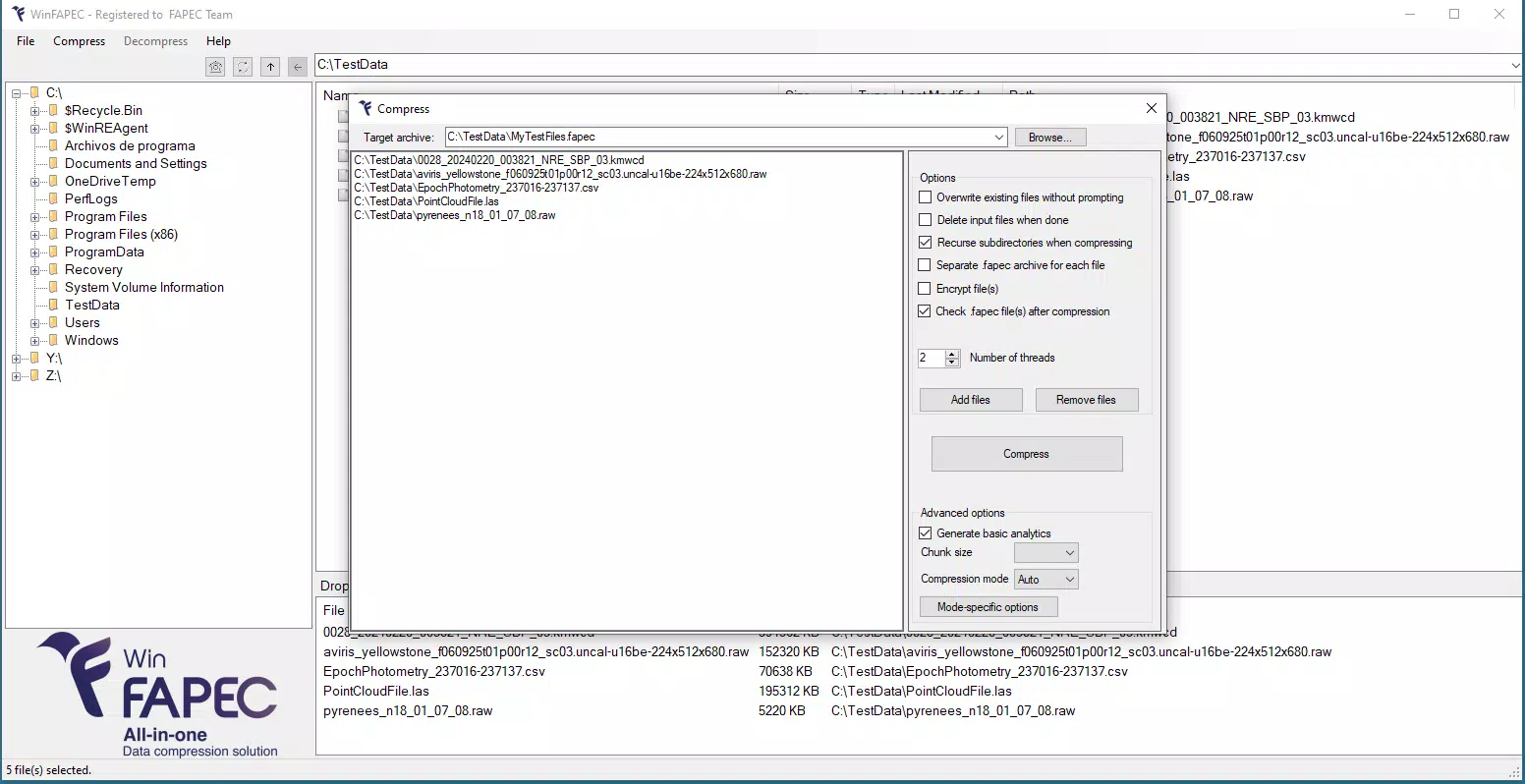
- Lossless and Lossy Compression Options: Users can select between preserving original data fidelity (lossless) or significantly reducing file size (lossy), depending on their project’s accuracy requirements. This flexibility supports diverse use cases—from archival preservation to real-time processing.
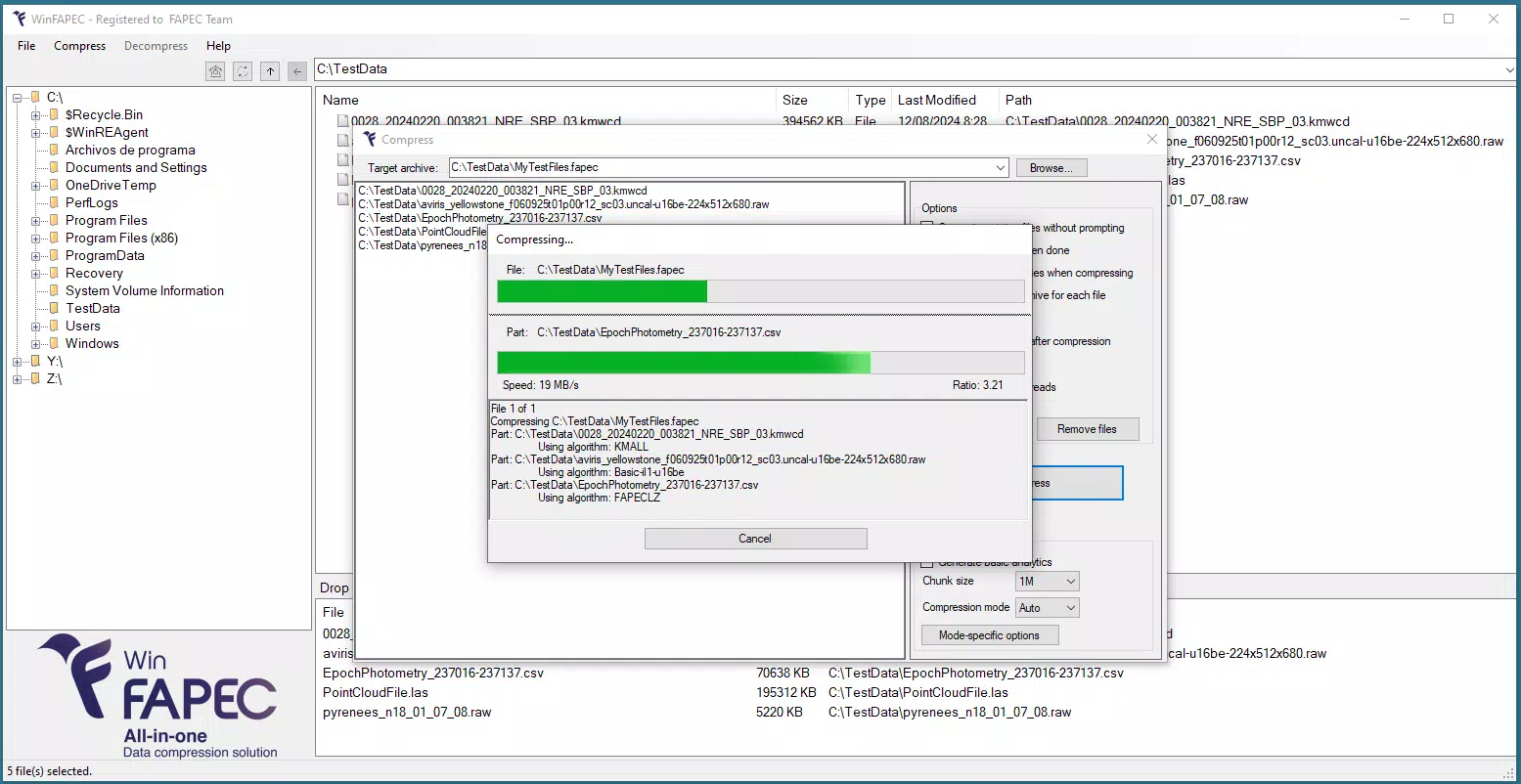
- On-the-Fly Analytics: The software provides immediate access to basic statistical insights and reporting tools during compression and decompression. This enables users to assess data quality and structure without needing external analysis tools.
- Cross-Platform Sharing: WinFAPEC supports interoperability across different operating systems. Command-line versions are available for non-Windows environments, allowing teams using Linux or macOS to maintain consistent workflows while leveraging the same core compression engine.
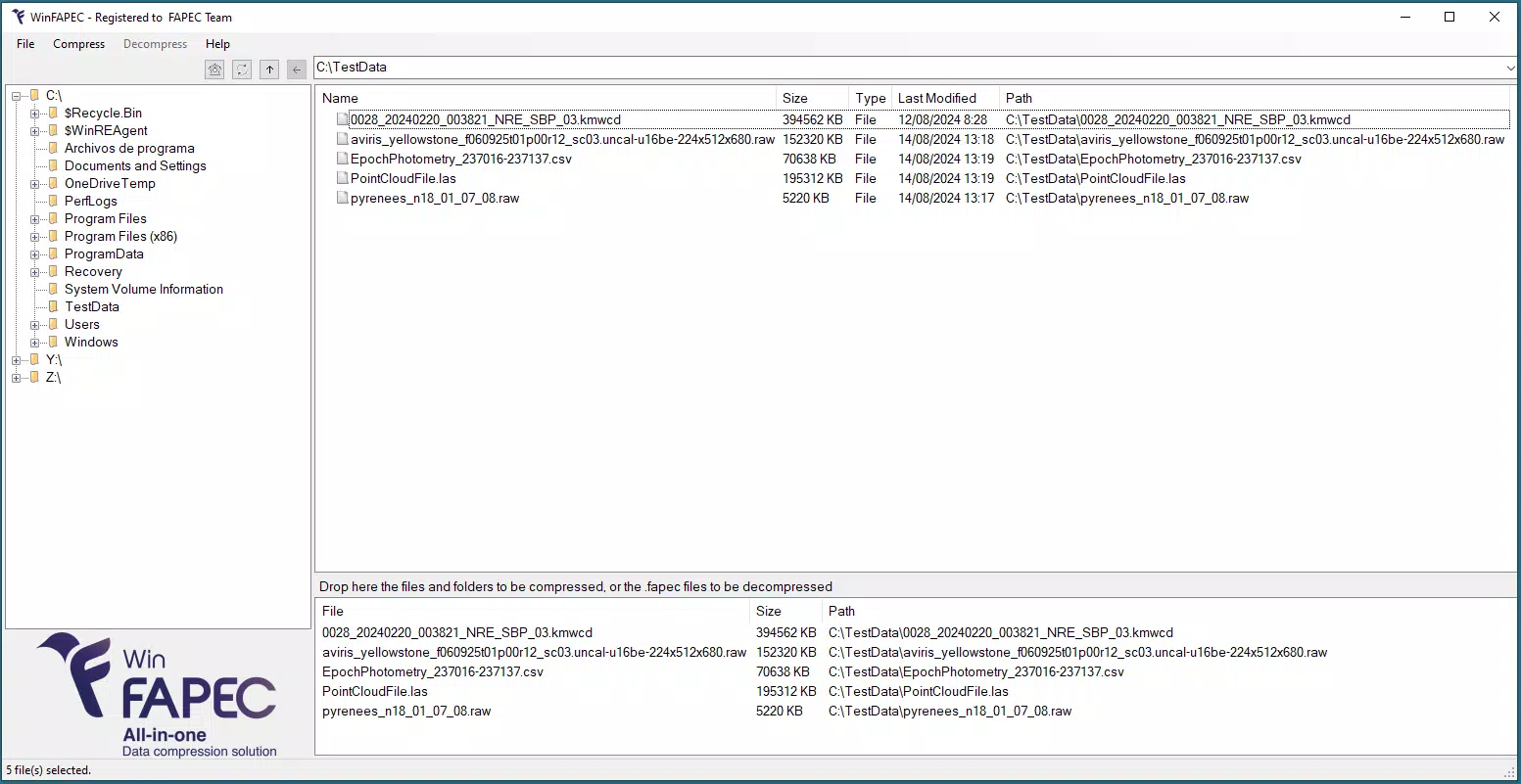
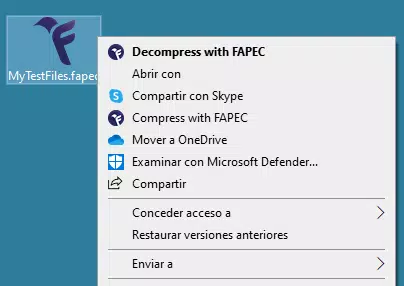
- User-Friendly Interface: Designed with a graphical user interface, WinFAPEC simplifies complex operations such as file selection, compression mode choice, and result preview. This accessibility is crucial for non-specialist users who need to manage large datasets without deep technical expertise.
For example, a research team analyzing climate trends from hyperspectral satellite data can use WinFAPEC to compress years of imagery into a fraction of the original size while retaining key spectral features. Similarly, a geospatial firm preparing data for client delivery can apply lossy compression to reduce file size for faster uploads, then switch to lossless mode for archival storage.
Interface, UX & Performance
WinFAPEC features a clean, functional graphical interface tailored for data professionals. The layout prioritizes workflow efficiency, with clearly labeled sections for file input, compression settings, and output configuration. Navigation is straightforward, allowing users to load files, select compression modes, and initiate processing with minimal clicks.
Visual feedback is provided during operations, including progress indicators and status messages. Although the developer did not list formal performance metrics, the app is designed to handle large datasets efficiently, suggesting optimized memory and CPU usage. Responsiveness is expected to be consistent across mid-to-high-end Windows devices, though specific device category performance was not disclosed.
Stability appears to be a focus, as the application is built on a mature compression engine from DAPCOM. No reported crashes or bugs were mentioned in the release notes. The user experience is enhanced by the inclusion of on-the-fly analytics, which provide immediate context during data handling.
Overall, the interface balances technical depth with accessibility, making it suitable for both experienced analysts and those new to data compression tools. The absence of detailed performance specifications means users should test the app in their specific environment to evaluate responsiveness under load.
Platform Compatibility & Technical Requirements
WinFAPEC is available exclusively for the Windows platform. It runs on Windows operating systems, though the specific minimum OS version was not listed by the developer. The application has a file size of 25.4 MB, indicating a lightweight footprint relative to its capabilities.
This suggests efficient code architecture and minimal runtime dependencies. The software version is 1.0.0, indicating a stable initial release. While the developer did not specify minimum RAM, processor, or disk space requirements, the compact size implies low system demands.
Compatibility with older Windows versions was not confirmed. Users should ensure their system meets general Windows application requirements to avoid installation issues. The lack of detailed technical specifications means that advanced users may need to conduct compatibility testing, particularly in enterprise or legacy environments.
For non-Windows users, command-line versions of the underlying FAPEC engine are available, ensuring continued access to the core functionality across different platforms.
Pros and Cons
Pros
- High compression efficiency for satellite and scientific data
- Supports both lossless and lossy compression modes
- Intuitive graphical interface for non-technical users
- On-the-fly analytics enhance data interpretation
- Command-line versions available for cross-platform use
Cons
- Compression functionality requires a paid license
- Only available for Windows; no native mobile or macOS support
- Specific system requirements were not disclosed
- Decompression is free, but full functionality is restricted without purchase
- No information on update frequency or long-term support
FAQ
Is WinFAPEC free to use?
Decompression is available at no cost. However, compression functionality requires a license, which is sold separately for $199.00.
Can I use WinFAPEC on macOS or Linux?
While the Windows version is the primary release, command-line versions of the FAPEC engine are available for non-Windows systems, enabling cross-platform compatibility.
What types of data does WinFAPEC handle best?
WinFAPEC is optimized for multidimensional time series and hyperspectral image data, commonly used in satellite imaging, environmental science, and geospatial analysis.
How secure is WinFAPEC during data processing?
Although the developer did not provide specific security details, the app is designed for professional use with no public data sharing features, suggesting data remains local during processing.
Are updates available for WinFAPEC?
The developer has not disclosed update frequency or support policies. Users should check the official site for release notes and version history.
Final Thoughts
WinFAPEC stands out as a precision tool for professionals managing large, complex datasets, particularly in satellite and scientific research. Its ability to deliver high compression ratios with both lossless and lossy options makes it a valuable asset in data-intensive workflows. The inclusion of on-the-fly analytics and a user-friendly interface enhances usability, bridging the gap between technical power and accessibility.
While the $199 price point reflects its professional-grade nature, the lack of detailed system requirements and platform support limits its reach. Nonetheless, for teams working with hyperspectral or multidimensional data, WinFAPEC offers a robust solution that balances performance, functionality, and ease of use. Its cross-platform command-line availability further extends its utility.
For users in research, remote sensing, or geospatial analytics, this app represents a significant step forward in efficient data management. Download WinFAPEC now


